Choosing the best laptop for business professionals is important for productivity, communication, and everyday work. A business laptop needs to handle tasks such as video meetings, spreadsheets, presentations, web browsing, email, and document management without slowing you down.
Unlike gaming laptops, business laptops usually focus more on portability, battery life, security, reliability, and comfortable keyboards. The right model can also make it easier to work while traveling or moving between meetings.
With so many options available, knowing which features matter most can help you make a smarter purchase.
What Makes a Good Business Laptop?
A professional laptop should offer a good balance between performance and portability. You do not always need the most powerful processor or the largest amount of storage. Instead, focus on specifications that match your daily workload.
A modern business laptop should ideally have at least 16GB of RAM. This is useful when working with multiple browser tabs, office applications, communication tools, and spreadsheets at the same time.
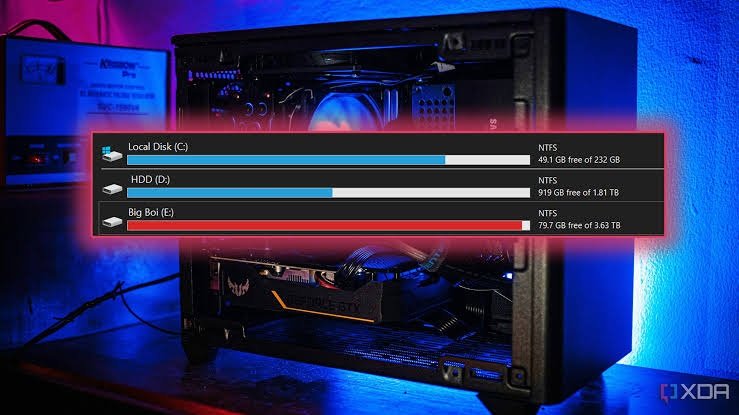
For storage, a 512GB SSD is a good starting point for most professionals. SSD storage provides faster startup times and quicker access to files compared with traditional hard drives.
Processor Performance
The processor has a major impact on everyday performance. Professionals who mainly use Microsoft Office, web applications, email, and video conferencing can usually choose a mid-range modern processor.
If your work involves programming, video editing, large spreadsheets, or professional software, a more powerful processor can provide additional performance.
Look for a recent-generation Intel Core, AMD Ryzen, or Apple silicon processor. Choosing a newer platform can also provide better efficiency and longer useful life.
Display Quality Matters
Business professionals often spend several hours looking at their laptop screen. A good display can therefore make a noticeable difference.
A 14-inch or 15-inch display offers a practical balance between screen space and portability. A Full HD or higher resolution is recommended for comfortable viewing.
An anti-glare display can also be helpful if you frequently work in offices, cafés, airports, or other bright environments.
Battery Life for Busy Professionals
Battery life is another important factor when choosing a professional laptop. Nobody wants to search for a power outlet during an important meeting or while traveling.
A laptop that can comfortably last through several hours of normal work is more convenient. However, real-world battery life depends on brightness, applications, Wi-Fi usage, video calls, and other factors.
If you regularly work away from your desk, prioritize efficient hardware and a laptop with a strong battery reputation.
Keyboard and Touchpad
A comfortable keyboard is often overlooked when buying a laptop. Professionals who write emails, reports, proposals, or documents every day will benefit from a keyboard with good key travel and feedback.
The touchpad should also be responsive and accurate. A high-quality keyboard and touchpad can improve productivity without requiring additional accessories.
Security Features
Business laptops should provide strong security features, especially when they are used for sensitive company information.
Features such as fingerprint readers, facial recognition, hardware security technologies, and strong password support can provide additional protection.
It is also important to keep your operating system and security software updated. Hardware security features are most effective when combined with good security practices.
Portability and Build Quality
Professionals often carry their laptops between home, office, meetings, and business trips. A lightweight design can make daily transportation much easier.
However, extremely thin laptops are not always the best choice. Look for a model that combines a reasonable weight with durable construction.
A strong chassis can also help protect the laptop from everyday wear and accidental bumps.
Connectivity and Ports
Business users should check the available ports before purchasing a laptop. USB-C is now common, but you may also need USB-A, HDMI, an SD card reader, or a headphone jack.
If you regularly connect external monitors, projectors, storage drives, or other accessories, having the right ports can save you from carrying multiple adapters.
Best Laptop for Different Business Needs
The ideal business laptop depends on how you work.
For office work: Choose a laptop with a modern mid-range processor, 16GB RAM, and a 512GB SSD.
For frequent travel: Prioritize low weight, long battery life, and durable construction.
For creative professionals: Choose a faster processor, more RAM, high-quality display, and dedicated graphics if required.
For executives: A premium design, excellent keyboard, strong security, and high-quality webcam may be more important.
For remote workers: Pay close attention to webcam quality, microphone performance, battery life, and connectivity.
How Much Should You Spend?
The right budget depends on your workload. Entry-level business laptops can handle basic office tasks, but spending more can provide better build quality, performance, and longevity.
For many professionals, a mid-range laptop offers the best balance. You can often get strong performance without paying for specifications you will never use.
Instead of focusing only on price, consider how long you expect to use the laptop. A slightly more expensive model with better hardware may provide better value over several years.
Final Thoughts
The best laptop for business professionals should make everyday work easier, faster, and more comfortable. Look for a modern processor, at least 16GB of RAM, fast SSD storage, a quality display, reliable battery life, strong security, and a comfortable keyboard.
Your individual workload should ultimately determine your choice. A frequent traveler may prioritize portability, while a creative professional may need more processing power and graphics performance.
Before buying, compare the specifications, warranty, connectivity, battery performance, and build quality. A well-balanced business laptop can remain a dependable productivity tool for years.